Message intake
Reads incoming customer chats from your sales channels and flags the ones that show buying intent, so staff stop scrolling through every thread by hand.
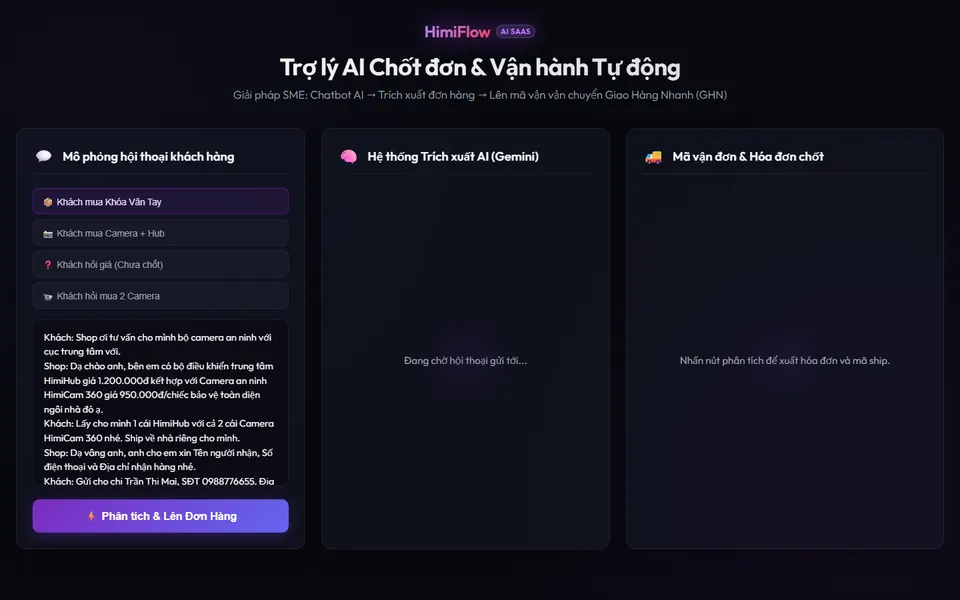
HimiFlow reads incoming chats and orders, checks the details, waits for a person to approve, then creates the order and records every step. Available for scoped deployment.
Each step is a separate control. You decide which ones run automatically and which ones wait for a person.
Reads incoming customer chats from your sales channels and flags the ones that show buying intent, so staff stop scrolling through every thread by hand.
Pulls the name, phone number, address and requested products out of a conversation and turns them into a structured draft order your team can review.
Checks the draft against your product list and stock before it moves on. Missing or unclear fields are marked so a person can fix them first.
Nothing that spends money, confirms an order or changes customer data runs until a named person approves it. The approver and the time are recorded.
After approval, HimiFlow can create the shipping request, draft the invoice and send the customer a confirmation through the integrations agreed in scope.
Every order keeps its history: the original message, the checks, the approval and the action taken. Follow-ups start from that record instead of memory.
Small and mid-sized teams that sell through chat and still copy order details into spreadsheets by hand.
Three stages, each with a clear output. You can stop after any stage.
We map how a message becomes an order today: channels, people, tools and where errors happen. Together we agree which steps to automate and which stay manual.
We run HimiFlow on a limited set of your real conversations with the approval gate switched on. You review every output before anything is sent.
We extend to the agreed scope, switch on the audit trail and hand over access, runbooks and rollback steps. Your team owns the setup.
It can draft replies and confirmations. Whether a draft is sent automatically or waits for review is a setting you choose per step. Anything that commits money, stock or customer data waits for a person to approve.
That is decided in the diagnostic. The demo shows chat intake, order extraction and a shipping request. Each connection to your channels, sheets or order system is scoped, tested in the pilot and documented.
The validation step flags fields that are missing or do not match your product list. The approver sees the original message next to the extracted order and can correct it before approving. Corrections are logged.
No. It is available for scoped deployment: HimiTek sets it up around your actual channels, data and access rules. Scope and cost are agreed after the diagnostic, before any build starts.
Send us a short description of how orders reach you. We will reply with the questions we need for a workflow diagnostic.